

Tired of Wired
Posted by Logan on 25th Jun 2025
Decision Paralysis
Amazon's electronics marketplace is frustrating, filled with similar products from generic brands like "Amzfeel" or "Jemluse." Their listings make it hard for shoppers to choose, leading to low confidence in purchases. We sought to improve this for our customers. Recently, I searched for a wireless Android Auto adapter for my Subaru Crosstrek on Amazon and faced the same dilemma. This blog details my search for the best wireless CarPlay/Android Auto adapter for our customers and my car.
The Problem with Wired CarPlay/Android Auto
I've long envisioned smartphones powering in-car tech. My 2011 experience with Pioneer's AppRadio, which mirrored my iPhone via the notoriously dreaded original iPhone 30-pin connection, was the genesis of my disdain for wired setups. Frustratingly, flash forward to 2025 and USB-C presents similar connection fragility issues. My dream was always wireless connectivity, the ability to simply get in the car and have my media playing while I drive away, and this has been achieved in most new cars today. However, early CarPlay/Android Auto required wired connections. Thankfully, numerous wireless adapters now exist, plugging into USB ports to connect phones wirelessly. The challenge is sifting through the many nigh indistinguishable options available to find the best one.
How Can We Help This?
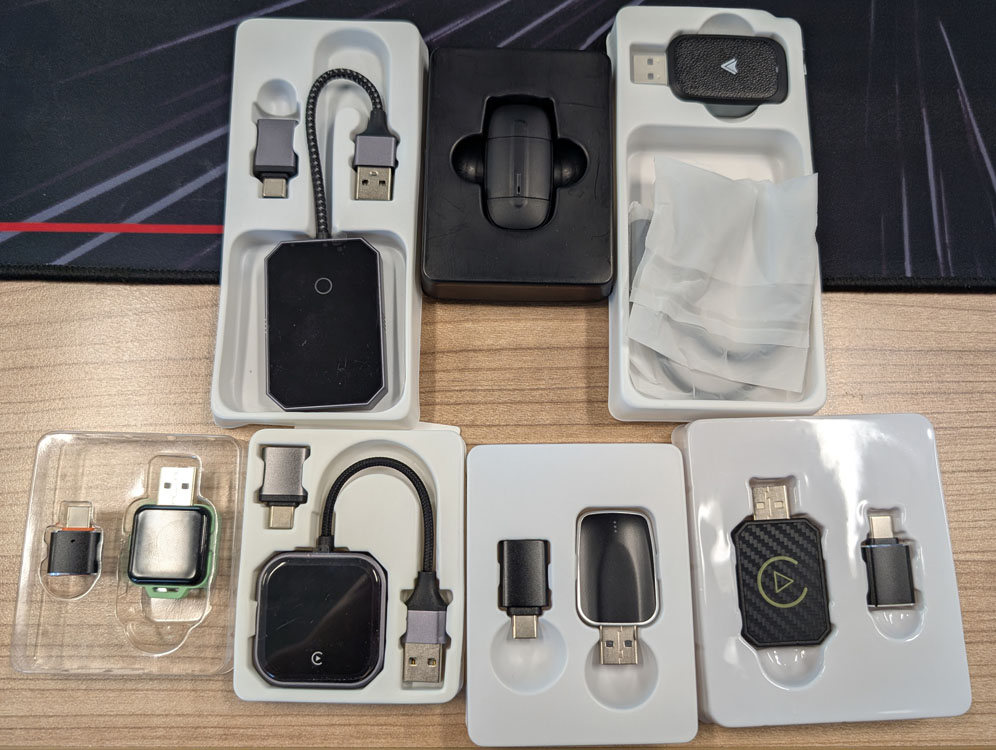
So I wanted to accomplish two things. First, I wanted a device for personal use, but I also wanted to find a device that we could offer our customers to make their choice easier. My approach was to buy a handful of the best looking devices and individually test them all out until I could make an easy choice of a unit that I would be happy to use myself and offer to our customers. We ended up with 8 adapters in total and each was tested for a few days by myself and some other members of our team.
What Are We Looking For?
Before any testing I considered what features would be important to me. During testing I quickly learned that features I thought were important were not at all. I also discovered some things that I hadn't considered. Below I break down the full list of features that I found to be the most important in terms of selecting a great adapter.
Connection Reliability and Stability
For starters, a consistent connection between the phone and the device is crucial every time you enter the car. More importantly, this connection must remain stable throughout the entire drive, until the media system powers off. To my surprise, many devices I tested failed this essential test. This instability was a deal-breaker for me, as it was precisely what I aimed to avoid after my previous wired USB-C connection. Nothing is worse than being forced to endure FM radio ads when you're accustomed to an ad-free listening experience.
Connection End Delay
One quirk of one device in particular was that it would actually stay connected to the phone for a few minutes after the car was turned off. So the user would answer a phone call only to realize that the audio was still set to use the car. Not at all ideal. We're looking for the connection to end right when the car is turned off, or when the car naturally turns off the media system.
Media Resume and Pause
This is a subtle feature, but an important one for a seamless user experience. When you get back into your vehicle, your media should ideally resume from where you left off, whether it's a song, audiobook, or podcast. Similarly, if you started a podcast on your phone at the gym, the adapter should allow it to pick up at the correct timestamp when you connect to your car's system. This is largely controlled by the settings in Android Auto or CarPlay, but the connection end delay mentioned above does have an effect on this.
Setup
Each adapter comes with reasonably clear instructions for connecting it to your vehicle. The general process involves plugging in the adapter, turning on the vehicle, and then connecting to the adapter via Bluetooth on your phone. The instructions specify the device name on the connection list and any required PIN.
However, some adapters may take longer to appear on the Bluetooth list, and occasional troubleshooting, such as power cycling the vehicle and re-triggering pairing mode, might be necessary to establish a connection. The easiest devices to use are those that appear instantly and pair effortlessly with your phone.
Splash Screen
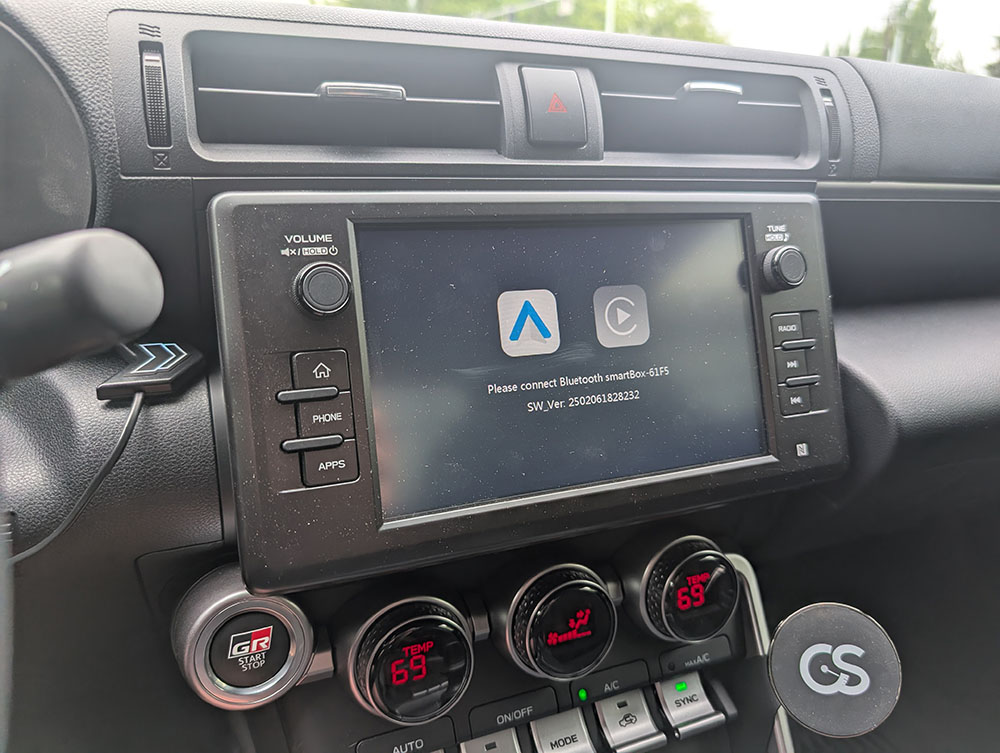
One of the features we noticed that we didn't want was a splash screen. Many of the devices would have a splash screen that popped up while the device was initializing and most had an unrecognizable logo or text. This gave me an uncomfortable, somewhat sketchy feeling—a feature I would definitely avoid.
OS
A major choice that needs to be made is regarding whether you use Apple CarPlay or Android Auto. Most devices are only compatible with one OS. This can be a problem if for any reason you wanted to use a different OS. There were a couple devices we tried that claimed compatibility with both systems, but only one of them actually supported both.
Form Factor
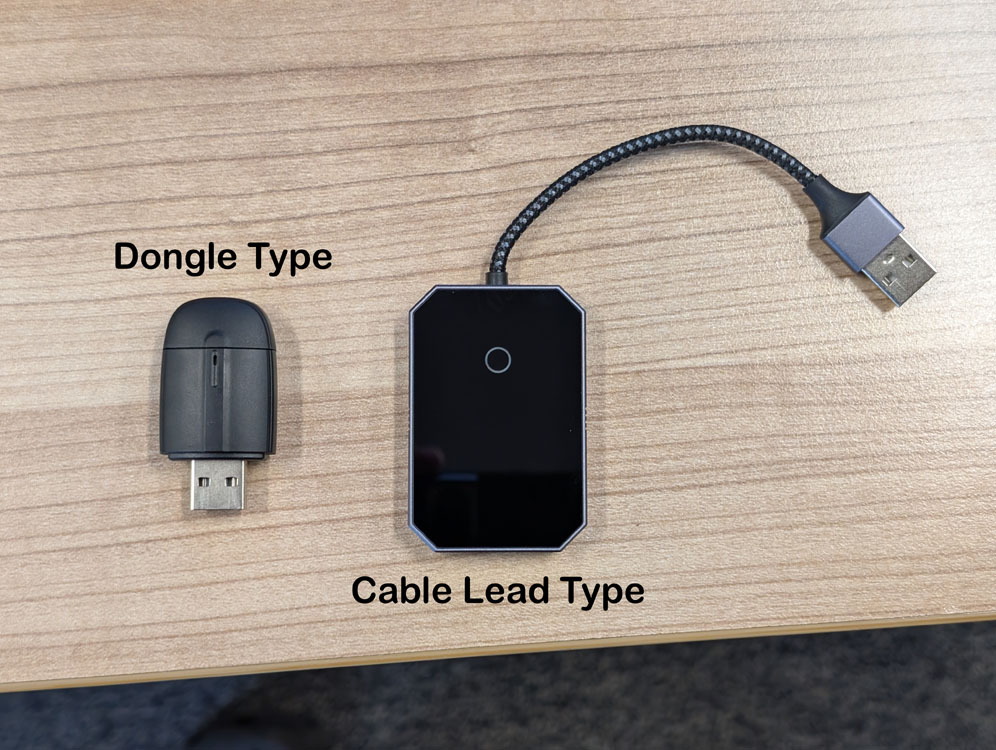
This is a feature that is difficult to reconcile when you are shopping for a device and haven't used one before, but after long term testing it became clear that there was an obvious preference. Primarily there are two main form factors to choose from. There is the type that has a cable lead, and then the dongle type which has no cable and plugs directly into the vehicle. Different vehicles may call for different styles but for the most part we found that the dongle type worked best.
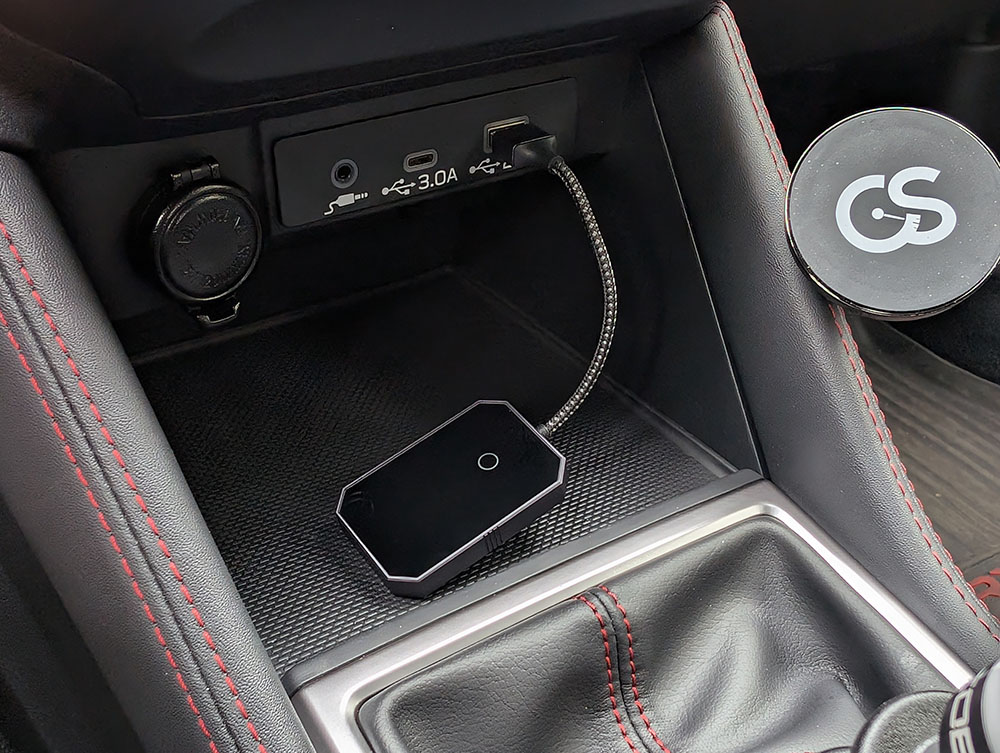
The issue with the cable lead type is twofold. Often the USB ports are installed in a location where the cable lead isn't long enough to allow the device itself to sit somewhere securely. Furthermore, even if there is an optimally placed port for the cable lead to reach, then you still have the device able to slide around as you are driving the vehicle. In one instance, a device completely failed, and began to continually disconnect and reconnect. I would attribute this to the fact that it used a cable lead.
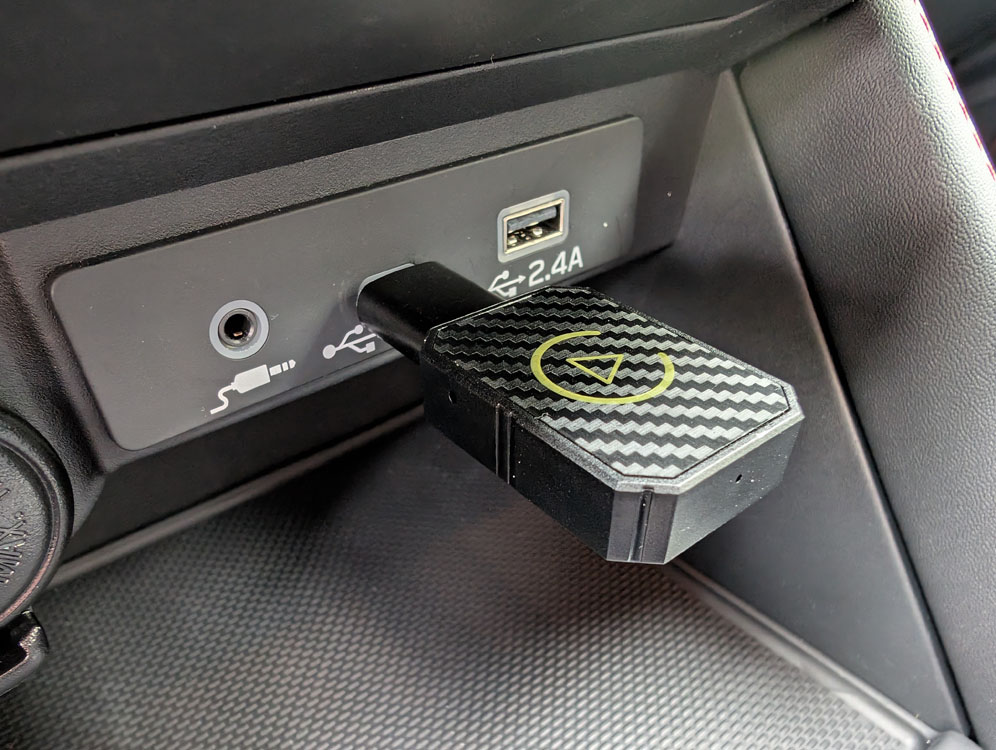
The dongle style makes for a more robust device, and also is immune to any positioning issues that the cable lead devices might have.
Our Pick
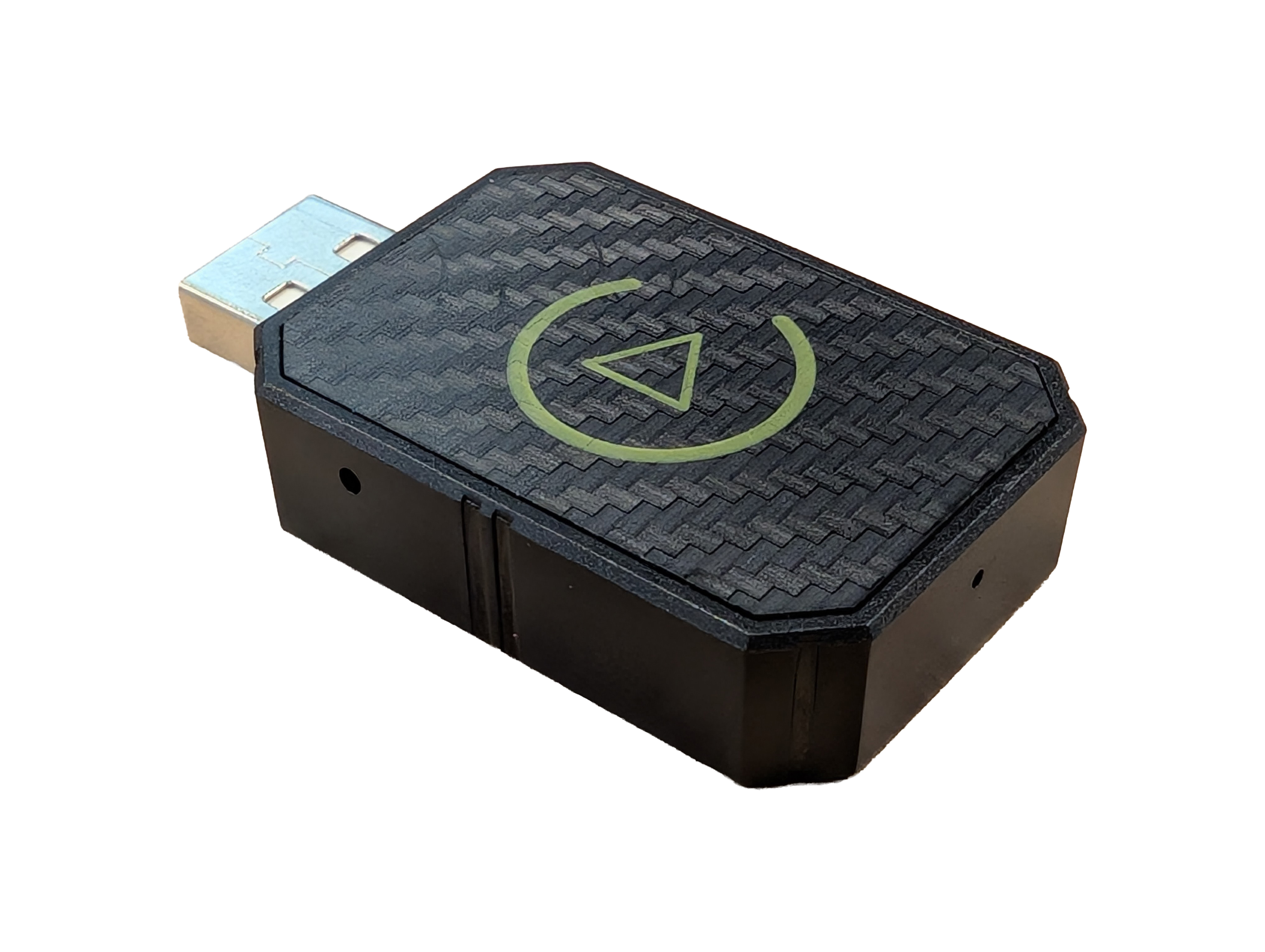
Our pick in this review is the “AI Box 2 IN 1 Wired to Wireless CarPlay USB Adapter.” I'm not particularly a fan of the naming or branding used, but ultimately that is the case with all of the devices and doesn't have any effect on the performance of the device itself. This unit was the only device we tested that checked all of the boxes we were looking for in terms of features. It had the best connection reliability and stability. It connects every time and connection loss is extremely rare. The connection end delay in all vehicles tested was immediate, which led to great media resuming and pause characteristics with no missing sections of a podcast. Setting up the device is always easy as it pops up right away and is easily paired to your phone. It was one of the only devices we tested that didn't have a splash screen with a weird logo before it switched to Android Auto or CarPlay. It was the only device that claimed compatibility with CarPlay and Android Auto and actually worked with both. Finally, it fits our preferred form factor being of the dongle type.
On Type-C Ports
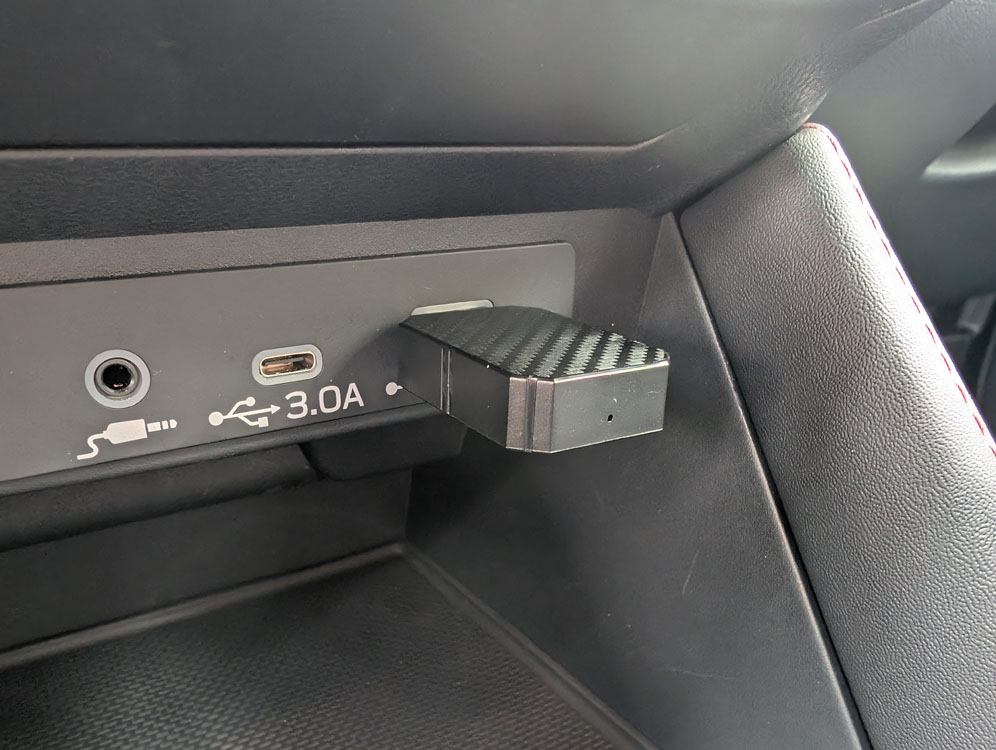
As tech has been advancing rapidly, there's a very narrow window where wired CarPlay or Android Auto overlap with cars only being equipped with USB-C ports. To account for this all of the devices included a USB-A to USB-C adapter. In the scenario where a vehicle does only have USB-C ports, the cable lead style adapter may actually be preferred, as with the dongle style using the A to C plug makes the whole assembly a bit obtrusive and less comfortable. If this was the case for me I would stick with the dongle style and just pick up a short cable to use between the device and the vehicle. This way you would avoid any potential failures that the cable lead type might be susceptible to.
Conclusion
To wrap it up, we purchased a ton of different Android Auto and CarPlay wireless adapters and put them to the test to find what features were most important and ultimately found that only one of the tested devices met all of our criteria: the AI Box 2 IN 1 Wired to Wireless CarPlay USB Adapter. These are available in our store now with free domestic shipping.
Shop Now